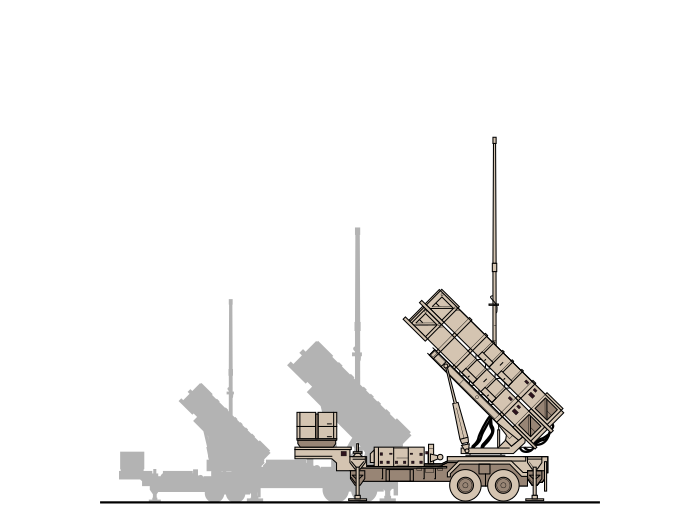
PATRIOT Missile Defense WMI C2
RTX PATRIOT War Machine Interface Command & Control
- Client
- rtx
- My Role
- Product Designer
- Team
-
- 3 additional designers — UX Design
- 1 PO — Product Owner
- 3 SMEs — Subject Matter Experts
- Year
- 2017
- Timeframe
- ~3 years
- Platform
- embedded-software
- Deliverables
- ui-designs, illustration, icon-design, infographic, sales-material, design-system
- Author
- Jason Thompson
The PATRIOT WMI redesign modernized the war machine interface command-and-control system for Raytheon RTX — used by surface-to-air missile operators defending against aerial threats. Legacy software constrained operators’ access to significant hardware capability; with airspace growing more contested, decision speed and accuracy directly affect lives. As Lead Product Designer on a 4-designer team at Visual Logic over ~3 years, I led UX across the full stack from IA through design system delivery. The redesigned system achieved a SUS of 80 and SEQ of 6.6, reduced operator training from months to weeks, and has been fielded for over a year with sustained positive feedback.
This was a ~3-year engagement for Raytheon RTX, sourced through Visual Logic, where I served as Lead Product Designer on a team of 4 designers, 1 PO, and 3 SMEs. The platform was embedded software running on dedicated WMI hardware. Deliverables included UI designs, a complete design system, illustrations, icons, infographics, and sales materials.
The Problem
Warfighters must make high-stakes decisions quickly and accurately. With noisier skies, this is more important than ever.
The hardware is capable, but the legacy software handicapped operators. Tognazzini calls this the efficiency of the user — optimize for the operator’s productivity, not the system’s. Here the stakes made it literal: operator inefficiency wasn’t frustrating, it was operationally dangerous. Data volume is large and growing each year — kinematic data foremost.
The challenge: empower SAM operators to make high-stakes decisions swiftly, accurately, and confidently.
Goals
PATRIOT operators make life-or-death decisions under pressure. The redesign had one job: help them do it faster, more accurately, more confidently.
- Help operators decide with more accuracy, speed, and confidence
- Reduce cognitive load — ease the mental strain so operators perform at a high level longer
- Reduce training time to proficiency — it will always exist, but it shouldn’t take months
- Unlock the hardware’s capability — the legacy UI buried functionality that operators needed
- Redesign for the next generation steeped in gaming — Jakob’s Law: meet the mental models operators already carry, don’t train them to new ones
Challenges
The top three challenges: vernacular, decrypting legacy solutions, understanding the SAM ecosystem.
My attitude toward the engineers of the legacy software flipped 180° throughout this project. Initially repulsed by the legacy UI, I came away impressed after understanding their constraints and hardware requirements. But a modernized redesign was still very needed.
- Steep learning curve — extensive company and industry vernacular with no shortcuts
- Enormous data volume with significant visual noise — a Tufte problem in a life-safety context
- Minimal SME interaction opportunities
- Achieving measurable usability gains despite legacy hardware restrictions
- Bureaucratic culture — hard to cross silos and find what we needed
- Small design team for a large task (also a positive)
- Collaborating with highly technical stakeholders
Solution
We modernized the War Machine Interface (WMI) command-and-control (C2) for next-generation warfighters. The organizing goal was operator situational awareness (SA). The results:
- Reduced cognitive load by grouping data by threat priority rather than data source — Miller’s Law applied to a SAM operator’s working memory
- Reduced fatigue by distilling and visualizing what was most important — Tufte’s data-ink ratio as an editorial lens: every non-essential element removed
- Increased speed of comprehension with data visualizations that surface pattern, not just number
- Decreased neck strain by designing the layout around operator ergonomics
- Reduced eye fatigue with a dark-theme UI
- Reduced visual noise with an exception-based status color philosophy — Von Restorff in a C2 context: operators see what requires action because everything else recedes
- Increased speed of manual data input
- Decreased training time through consistent conventions and patterns — Nielsen’s consistency heuristic: soldiers bring prior software expectations; meet them
Process
The process was traditional UX with a military focus. Tool and collaboration limits existed for reasons outside our control.
Early phases involved mostly visual design. Later, integrated throughout: finding pains, needs, and requirements — then designing solutions, collaborating with SMEs, and iterating.
UX Activities:
- SME conversations (derived goals, mental model, priorities)
- Stakeholder conversations (derived timeframe, goals, priorities)
- Technical conversations (derived tech limitations)
- Technical document reading and deciphering
- Information architecture diagrams
- Wireframes with contextual solutions, questions, assumptions, and context scenarios
- High-fidelity design with states of visualizations and special components
- Continuous back-and-forth with SMEs and tech team
- Design and interaction framework definition and iteration
- Design system definition and iteration including design principles and technical definition
- Icon and illustration asset design and production
- Critique of developed solution
Results
Usability Metrics
| Metric | Score | Benchmark |
|---|---|---|
| SUS (System Usability Scale) | 80 | Good to Excellent |
| SEQ (Single Ease Question) | 6.6 / 7 | Easiest Imaginable |
| TCR (Task Completion Rate) | 79.7% | — |
Operators reported training time dropped significantly — one estimated the redesign cut it by ~90%.
“With this new system, I know exactly what’s going on. You’ve drastically increased our situational awareness.” — Soldier during validation
“You’ve reduced our training from several months to several weeks.” — Soldier, Fort Bliss missile test
“The Patriot display has been fielded for over a year now and we have received positive feedback and praises on its ease of use and intuitiveness, even from the toughest and most knowledgeable user groups.” — PO
“During the tests, we were thrilled to see operators navigate the new WMI with little-to-no advanced training. The WMI displays complex information in an easy-to-understand way, helping Patriot operators make faster, better decisions that ultimately save lives.” — Tom Laliberty, VP of Land Warfare & Air Defense, Raytheon Missiles & Defense
“This design unlocks the capabilities of the hardware.” — Soldier
“This is hard, and you guys nailed it.” — PO
“The work we did together was the best work I’ve ever been a part of.” — PO of 30+ years
Peripheral PATRIOT Projects
Beyond the core WMI redesign, additional work included:
- Cyber Security — network monitoring tool analyzing anomalous activity
- Dynamic Dashboards — proposed range of dashboards and widgets for faster, more accurate track classification
- Trust — researched and proposed a solution to build consistent system trust, addressing slower decision times caused by operator skepticism
FAQ
What did you design for Raytheon RTX?
The PATRIOT WMI — a C2 system for surface-to-air missile operators. The redesign addressed situational awareness, decision speed, data prioritization, cognitive load, and training time reduction across a complex embedded software platform.
What were the validated usability outcomes?
SUS of 80 (good to excellent), SEQ of 6.6/7 (easiest imaginable), and 79.7% task completion rate in facilitated testing with actual operators. Soldiers reported training time reduced from several months to several weeks.
How do you reduce cognitive load in a high-density data environment?
Exception-based status coloring, dark-theme UI, and deliberate data grouping to reduce visual noise without sacrificing information density. Operators see what requires action — not everything at once.
What was the scope of the design system?
A full system covering typography, color, components, icons, and interaction patterns — used across the PATRIOT WMI and peripheral tooling including cyber security monitoring and dynamic dashboards.
How does this project represent your military UX expertise?
It's the longest and largest military UX engagement in my portfolio — 3 years, 4 designers, validated metrics from operator testing at Fort Bliss, and a fielded system with several years of positive in-context feedback.